Instagram Broadcast Channels – How to Use the New Feature to Build a Loyal Community?
No longer do you have to guess whether your post reached your most loyal viewers. Instagram has just given you a tool that bypasses the algorithm – straight to the DM inbox of every person who wants to listen to you. No sponsorship, no Stories, no filters.
Broadcast channels are a new format that can change how you build relationships with your audience. But only if you manage it wisely. We’ll show you how this feature works, what to post there, how to encourage people to click “join” and – equally important – how not to kill engagement in a few days.
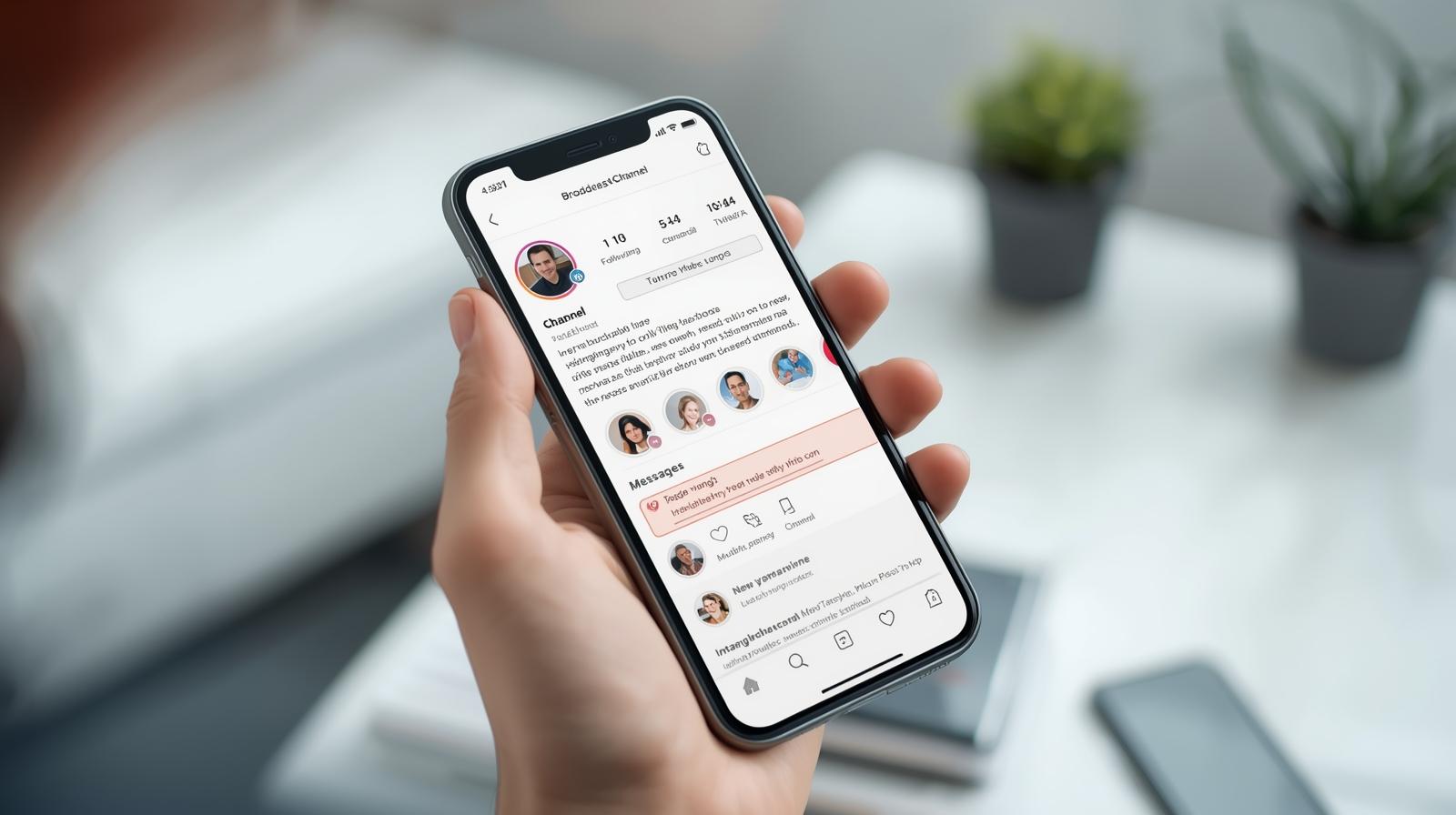
Broadcast channels on Instagram are not second Stories – they are your private newsletter with 100% reach
The biggest strength of broadcast channels? They go directly to every follower who clicked “join.” No algorithms, no shadowban – it’s communication 1:1 to a group that has expressed a desire to be closer.

Discover the potential of your personal brand!
Join a platform where creators can earn money online and build their personal brands by recommending products and services from brands and partners they truly respect.
What does this offer in practice?
- Messages are pinned at the top of DMs – like an important message from a friend.
- No need to break through the feed, Reels, and ads.
- You can post text, photos, polls, voice notes, and links.
- Audiences can react with emojis or participate in polls (but they can’t write – it’s a broadcast channel, not a group).
It’s the perfect tool for creators, educators, and brands with a strong community. If you have something valuable to say but Stories disappear too quickly and posts get lost in the feed – the broadcast channel is your new operational base. And you don’t need 100k followers – a group of 100–200 people who genuinely care about what you do is enough.
VIP Room, beta testers, phone podcast – what to post on the channel to make people want to be there?
Channels are not about repeating Stories. They’re about building relationships and sharing content that feels more private. As if you’re speaking to a trusted circle – not the entire Instagram.
What works best?
- Voice notes – short “phone podcasts,” behind-the-scenes, thoughts.
- First news about updates – before something hits the profile or store.
- Feedback polls – “what do we do next?”, “which topic interests you more?”
- Exclusive codes – discounts only for channel members.
- Access to “behind the scenes” content – making of, sketches, tests, plans.
It’s also a great place to test formats that later reach a broader audience. Have an idea but not sure if it’ll work? Post it on the channel and see the reactions. It allows you to experiment without the pressure and expectations of the “mainstream.”
“Join the channel” is not enough – how to actually attract people and keep them there?
Just the link is not enough. People need a reason to click and stay. Even more, they need a reason to keep coming back. Fortunately, Instagram gives you some tricks to outperform 90% of creators.
How to increase the number of joins?
- Add a channel link in bio – as the first point.
- Use the “join the channel” sticker in Stories – with a CTA and teaser.
- Make a teaser post just for channel members – e.g., “more info only in DM.”
- Set up an autoresponder in DM with a link to the channel.
- Collaborate with other creators – e.g., invite someone to a joint message or Q&A.
And how to keep people?
- Don’t post the same thing every day – diversify content.
- Provide value, not just news – thoughts, inspiration, insights.
- Respond to reactions and analyze surveys – feedback from the channel is gold.
People will stay where they feel part of something closer than “followers.” Build that atmosphere, and the channel will grow on its own.
Broadcast channel statistics may be boring, but they tell you what works better than TikTok Analytics
Broadcast channels don’t have graphs, but they have something that offers more than post reach – reactions from real people. And while at first glance you might not have analytics like in Ads Manager, the strength lies in this simplicity.
What can you track?
- The number of followers joined and lost – a drop after a specific post signals that something was wrong.
- Emoji reactions – they quickly show what resonates and what flies by unnoticed.
- Engagement in surveys – meaning who not only reads but wants to co-decide.
- Click-throughs on links – if you use bit.ly or similar, you can measure this.
These aren’t data from a million sources, but as a creator, you see exactly what “sticks” people to your channel. And what is worth developing further – in a product, course, or series. Plus, it’s the most engaged bubble you have on Instagram.
How not to kill your channel? Mistakes that immediately repel the community
Too much, too often, too little sense – it’s the shortest path to mute your channel. And it’s not about writing something wrong. It’s about the vibe: do people feel that you’re there for them, or are you just trying to “work them over” sales-wise?
Mistakes we see most often:
- Repeating content from Stories – if you’re giving exactly the same, why should someone join?
- Lack of publishing rhythm – posting once daily, once every three weeks
- Too promotional tone – “buy, click, order” with no value
- Lack of context – senseless messages like “Hey 🫶”
- Zero responses to reactions and lack of surveys – people don’t feel noticed
A well-managed channel is not a spam bin, but a mini space for people who want to get closer. You can ruin it with a boring week – or boost it by offering something they can’t get anywhere else.
Industries benefiting the most – how to use broadcast channels if you operate in e-commerce, education, finance, or consulting
You don’t have to be an influencer for a broadcast channel to work for your business. Quite the opposite – the more expert or product-focused the context, the more opportunities. Why? Because it’s not about likes, it’s about information directly to an interested group.
How to handle it in specific industries?
- E-commerce / brands – discounts, new items, drops, product feedback, questions about colors and variants
- Education / online courses – schedules, voice notes from classes, reminders for enrollment
- Finance / consulting – quick alerts: “new ZUS rate,” “discount until the end of the month,” tips in the form of voice notes
- Digital creators / art – making of, process, discount codes for prints, limited materials
- Local communities / NGOs – events, meetings, voting
A broadcast channel is a command center, not just another post form. And it provides you something hard to scale elsewhere – loyalty. People who come in and stay will be with you longer than followers from an ad.
FAQ
Does everyone already have access to broadcast channels?
Almost – the feature is available for creators and professional accounts, but sometimes requires an update or changing settings to a professional profile (e.g., “creator”).
Can a paid channel be set up?
Not directly on Instagram. But you can promote, for example, your paid groups, courses, RefSpace, links to external platforms (e.g., newsletter, paid community) in the channel.
Is it visible who reads the messages?
No – you can see the total number of members, but you don’t get information on who exactly read a given message. However, you can measure reactions and activity in polls.
Can the channel be archived or deleted?
Yes – you can close the channel, hide it, change its name, description, and photo. However, you cannot transfer members to another channel yet.
Can you have several channels?
Yes – each account can have more than one broadcast channel. Useful if you want to divide content thematically (e.g., one for education, another for product promotion).
Is it possible to comment in the channels?
No. Channels are one-way – you broadcast, people react. It’s something between a newsletter and a broadcast on WhatsApp.

Customer Service & Marketing Specialist at RefSpace, passionate about AI technology development and shopping psychology. She is responsible for customer service, collaboration with Creators and Suppliers, and application development. Her extensive experience as a Makeup Artist allows her to better understand the mechanisms of trust in recommended products and understand customer needs.